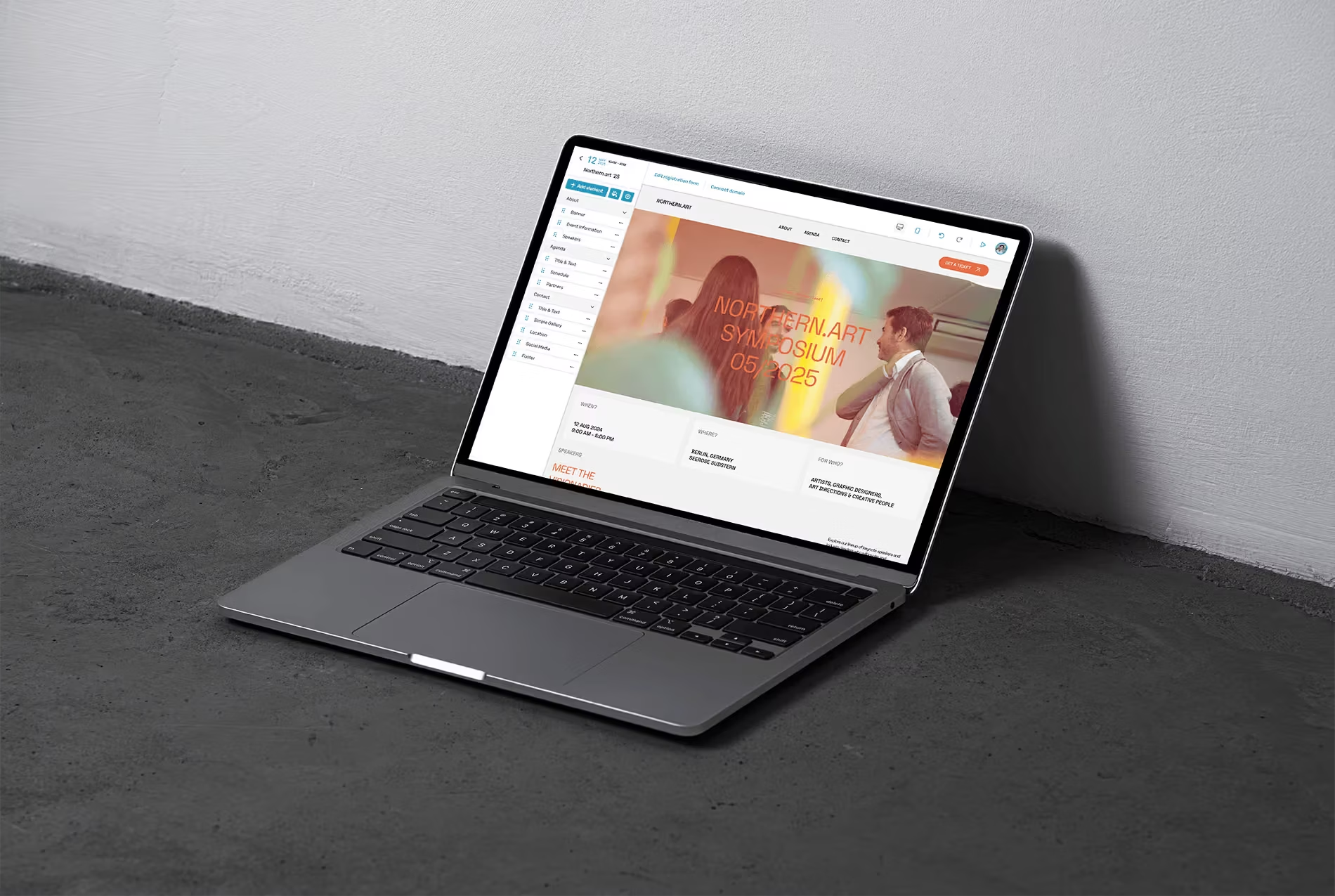
AI-assisted data onboarding system for KNIME
KNIME needed a way to get data into the Analytics Platform that is intuitive for novices and fast for experts, with AI that helps but never takes control. I solved it with an object model instead of a chat feature – four new objects, one flow for every data source, and components that make every AI decision inspectable and reversible.
- Client
- KNIME
- Role
- Product designer – solo, end to end
- Year
- 2026
Overview
KNIME Analytics Platform is a visual, node-based workflow tool. Every analysis starts the same way: get data in. For experts it is a reflex. For newcomers it is the first wall – which reader node, which delimiter, which encoding, which connector.
The problem KNIME brought me: an AI-assisted data onboarding flow that works for novices and experts, under three constraints – ease of entry, efficiency, and trust, meaning users must understand what the AI did and be able to override it. There were three obvious ways to frame it: “Just get my data in”, “Guide me through it”, and “Explain what’s happening”.
I didn’t pick one angle. The three are the same flow at different levels of detail, so I designed a structure that serves all of them: detect and draft automatically, guide when the user hesitates, explain on demand.
Three principles the system had to obey
- Users stay in control. The AI proposes; only the user applies. Every suggestion can be modified or dismissed, every draft edited before it becomes a node.
- Explain, don’t just do. Each setting carries its reasoning: what the AI saw, the rule it used, what happens if you skip it. Trust comes from inspectable decisions, not from confidence scores alone.
- One mental model for novices and experts. The same objects appear whether you dropped a CSV or pasted a connection string. Novices get guided defaults, experts get shortcuts – nobody learns two systems.
Objects before screens
I started with KNIME’s own language. An object discovery pass – structure, instances, purpose – gave six core objects: Workflow, Node, Connection, Dataset, Column, User. A nested object matrix mapped their relationships, attributes and actions.
Then the key question: what does the AI produce that isn’t already an object? Four things – the Input File the user brings in, the Suggestion the AI makes, the Node Draft it pre-fills, and the Explanation behind each decision. Each got its own row in the matrix, with relationships back to the existing objects.
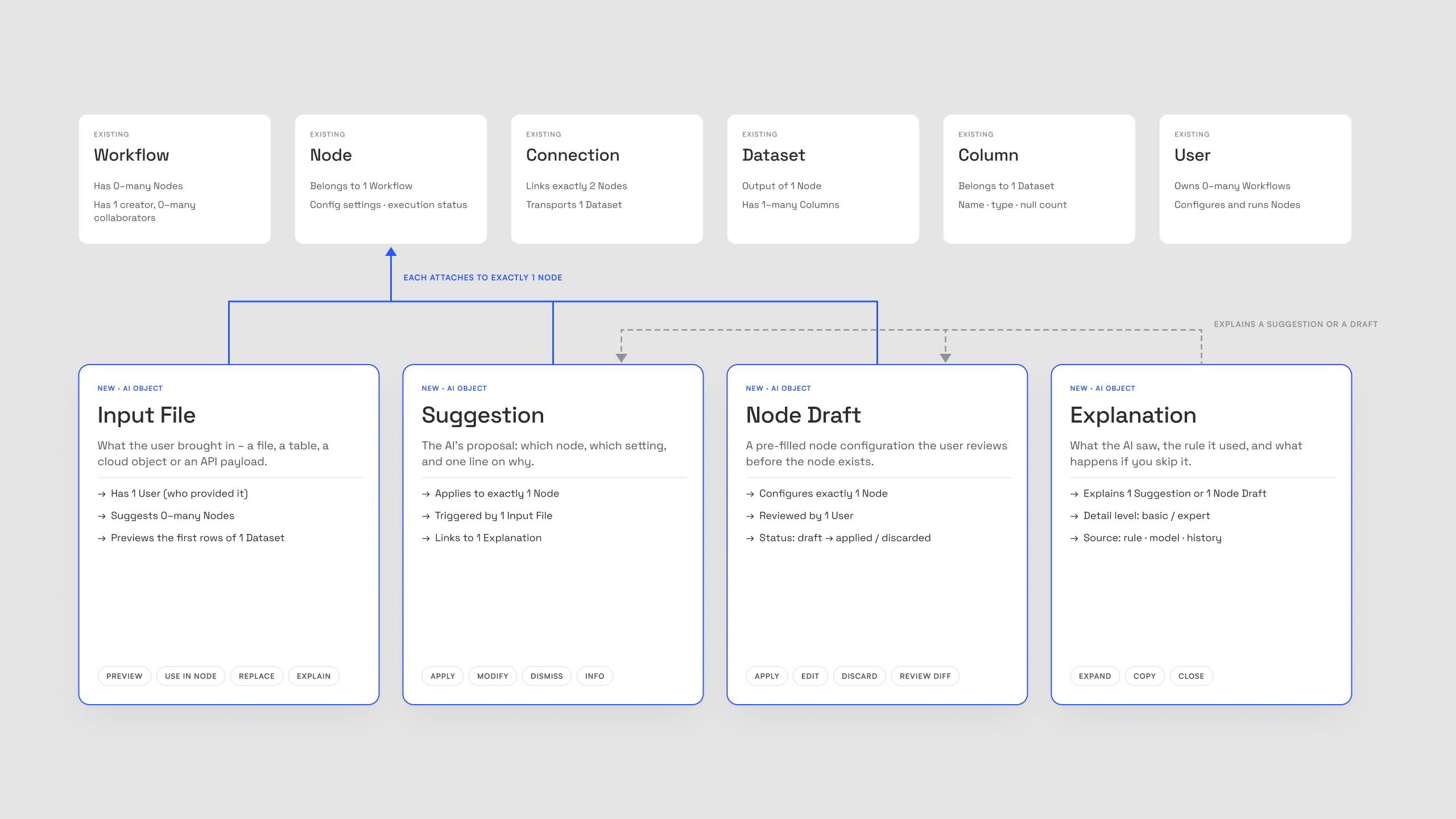
Because every AI output is a first-class object, it has state – suggested, applied, modified, rejected. That is exactly what trust, undo, history and analytics need. The outcome is not a lucky screen: once the objects are right, the flows, the priority guides and the components follow from them. A new source type is a new Input File variant, not a new feature.
Four user stories, one pattern
Local file (beginner), database (intermediate), cloud storage (intermediate to pro), API and JSON (advanced) – four flows that turned out to be one flow. Every source becomes an Input File with a real preview. The AI attaches a Suggestion (which node, which settings), fills a Node Draft and offers an Explanation. The user applies, modifies or dismisses. Only on Apply does a node appear on the canvas, and the decision is written to the AI memory log so people can come back to it later.
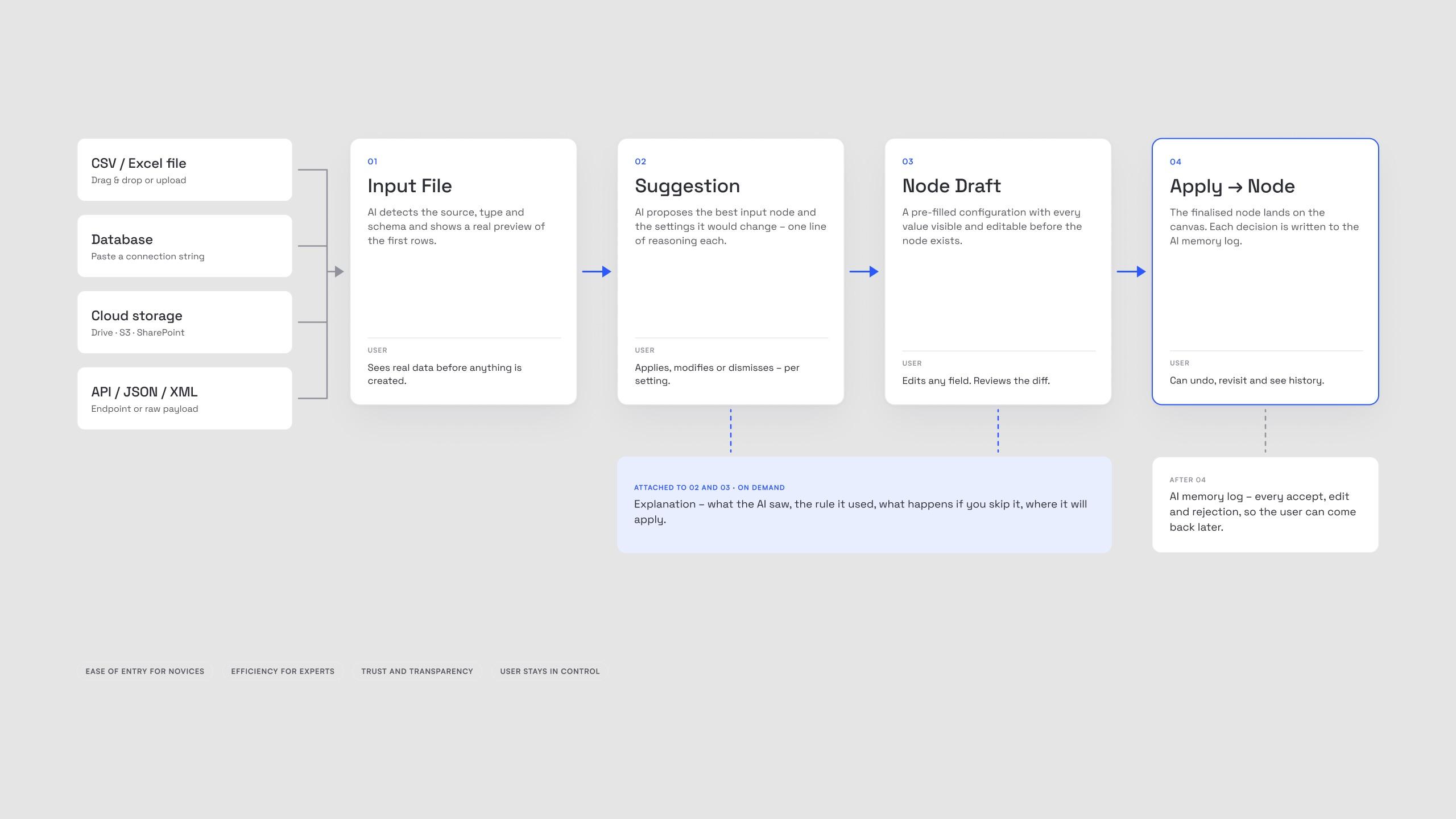
- Novice path: drag in a CSV, see the first rows, accept the draft. Three steps, no node library.
- Expert path: paste a JDBC string, skim the pre-filled draft, edit host and schema, apply.
- Same objects: both paths surface the same four objects, so nobody learns two systems.
Priority guides before pixels
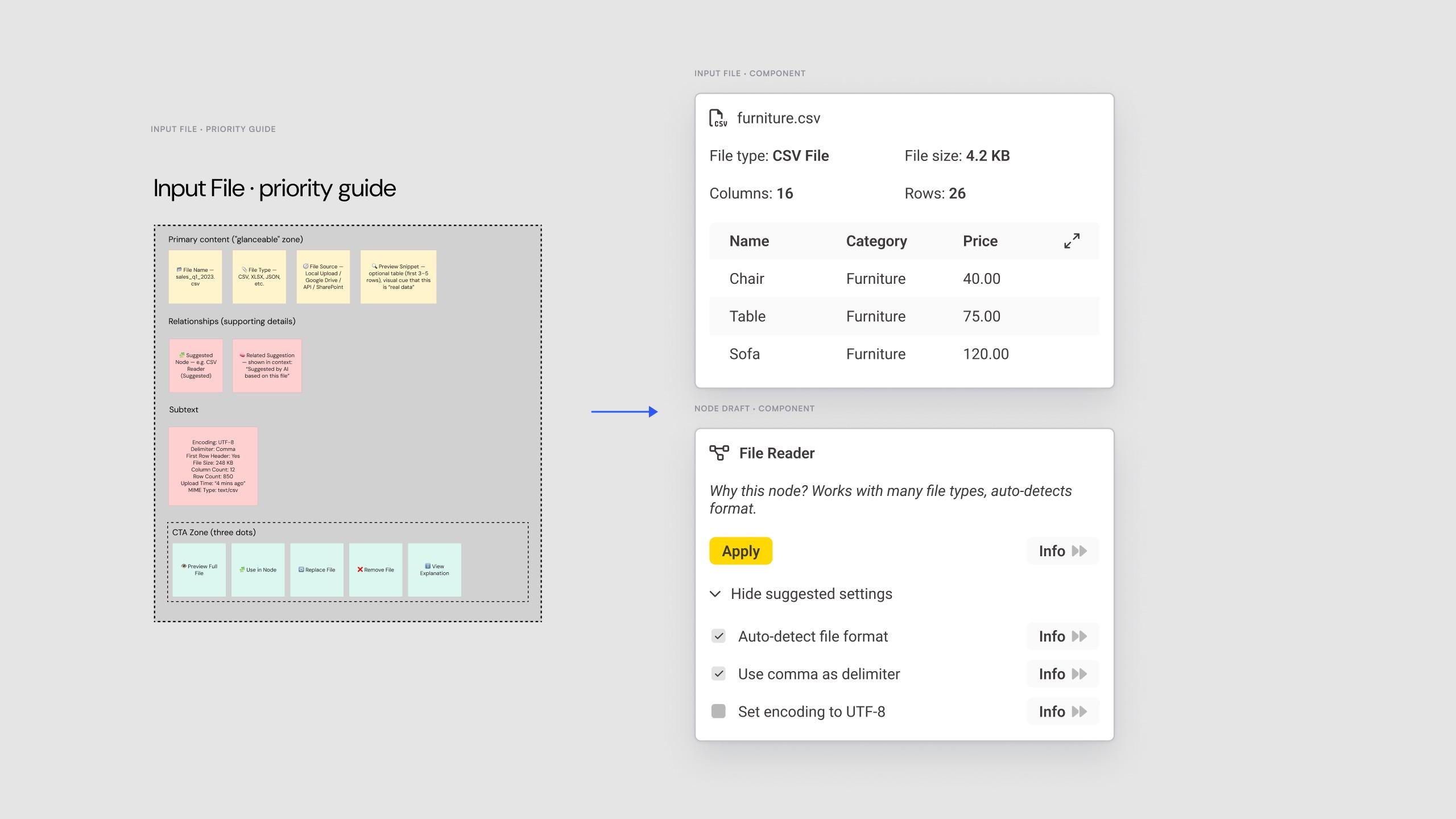
Each object got a priority guide: the glanceable zone (file name, type, source, a preview snippet), supporting details (suggested node, related suggestion), subtext (encoding, delimiter, size) and an explicit CTA zone – preview, use in node, replace, remove, explain. Content decisions came before layout decisions, which made the components almost mechanical to design.
Inside the K-AI panel KNIME already has
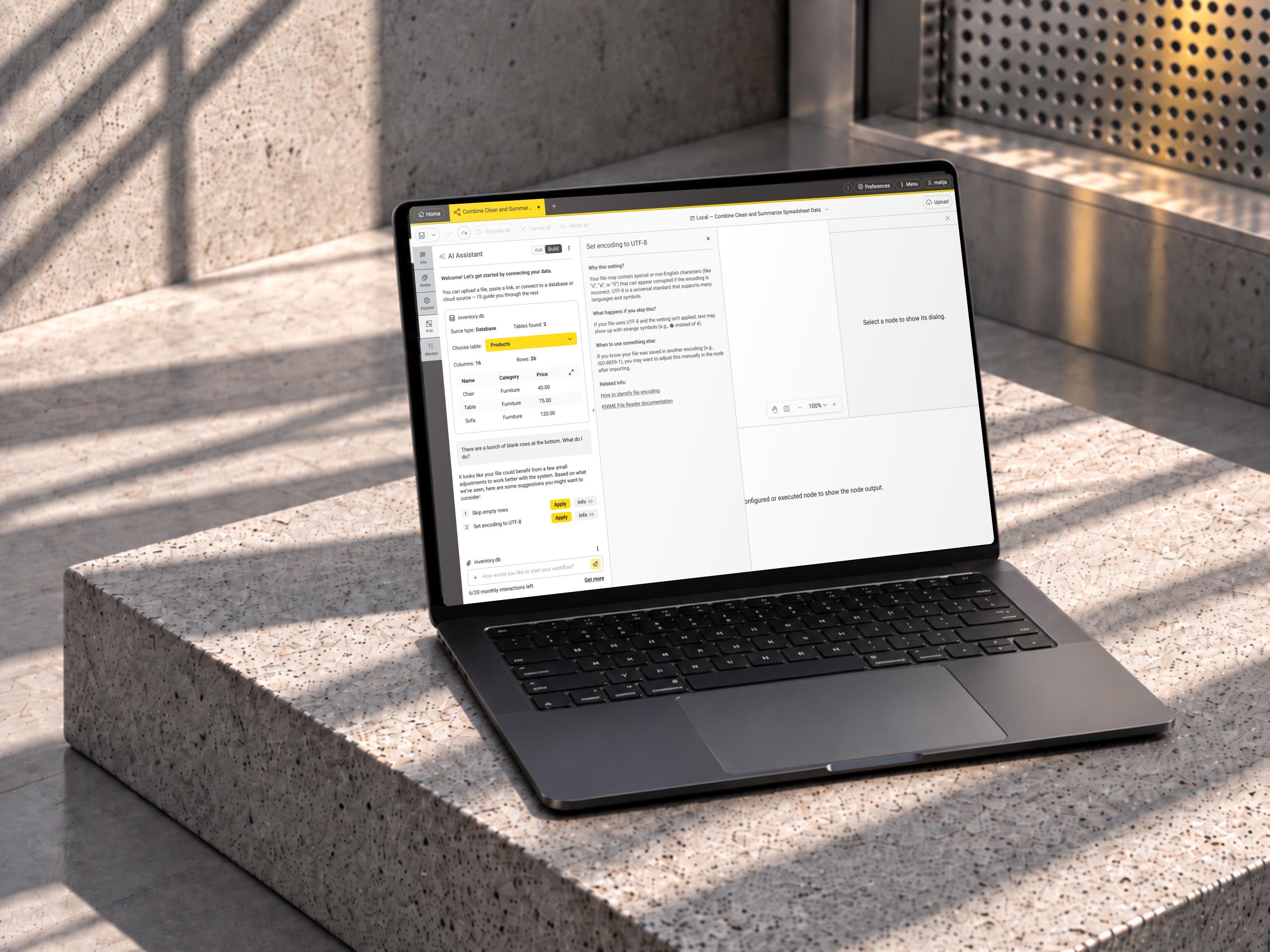
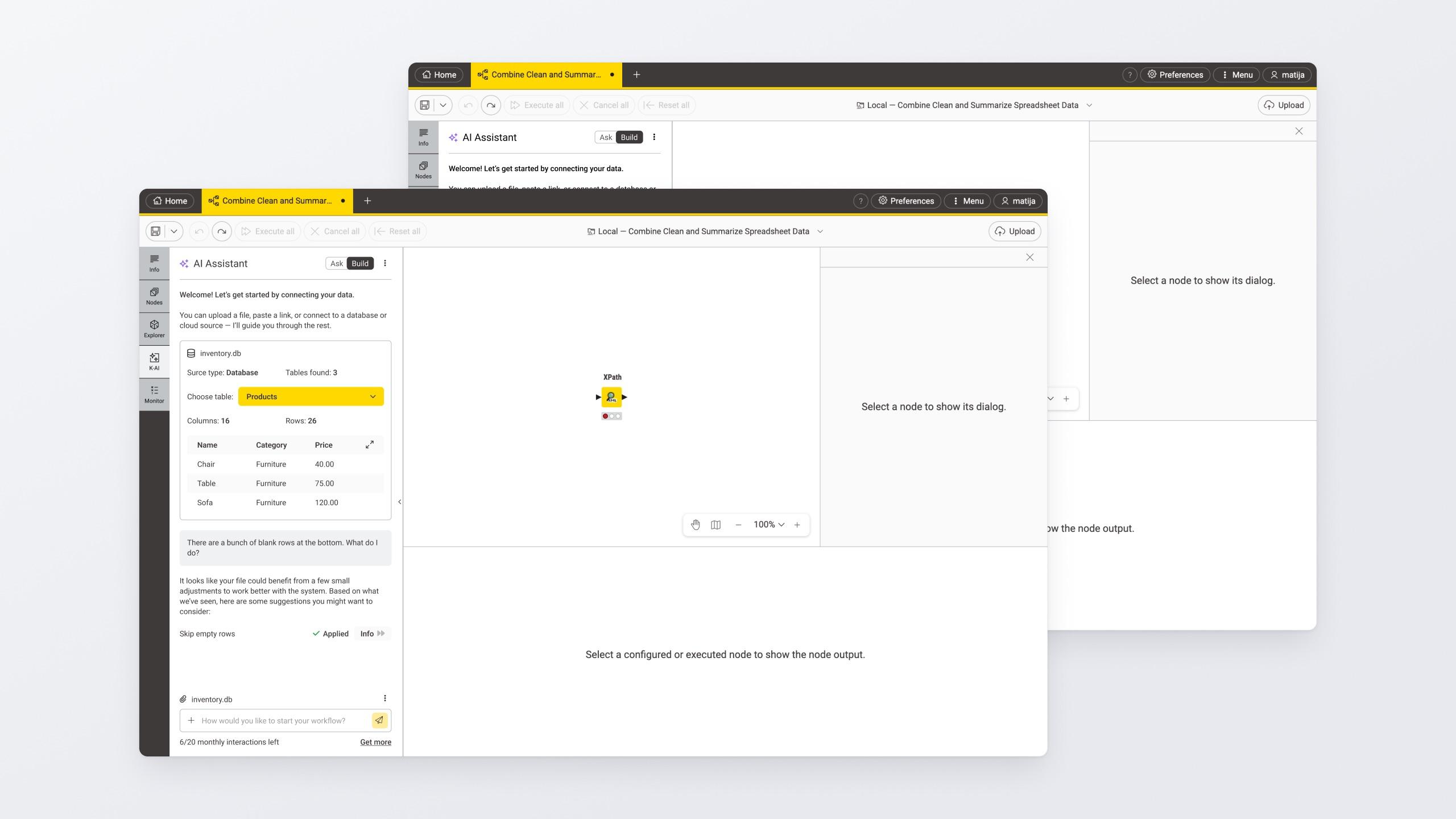
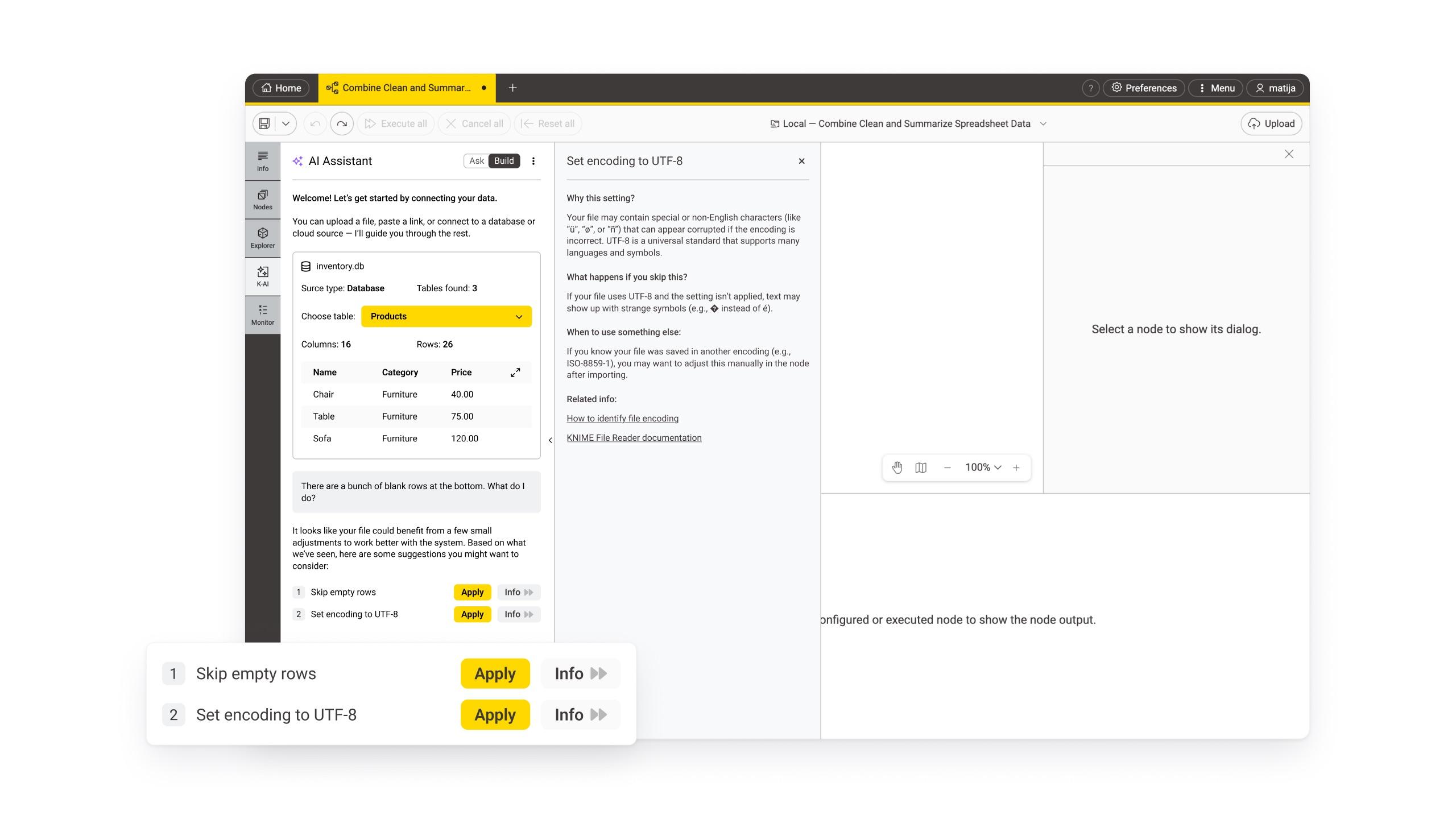
KNIME ships an AI assistant panel with Ask and Build modes. Data onboarding lives in Build, so the help appears where users already look – zero new navigation, zero new surfaces to learn.
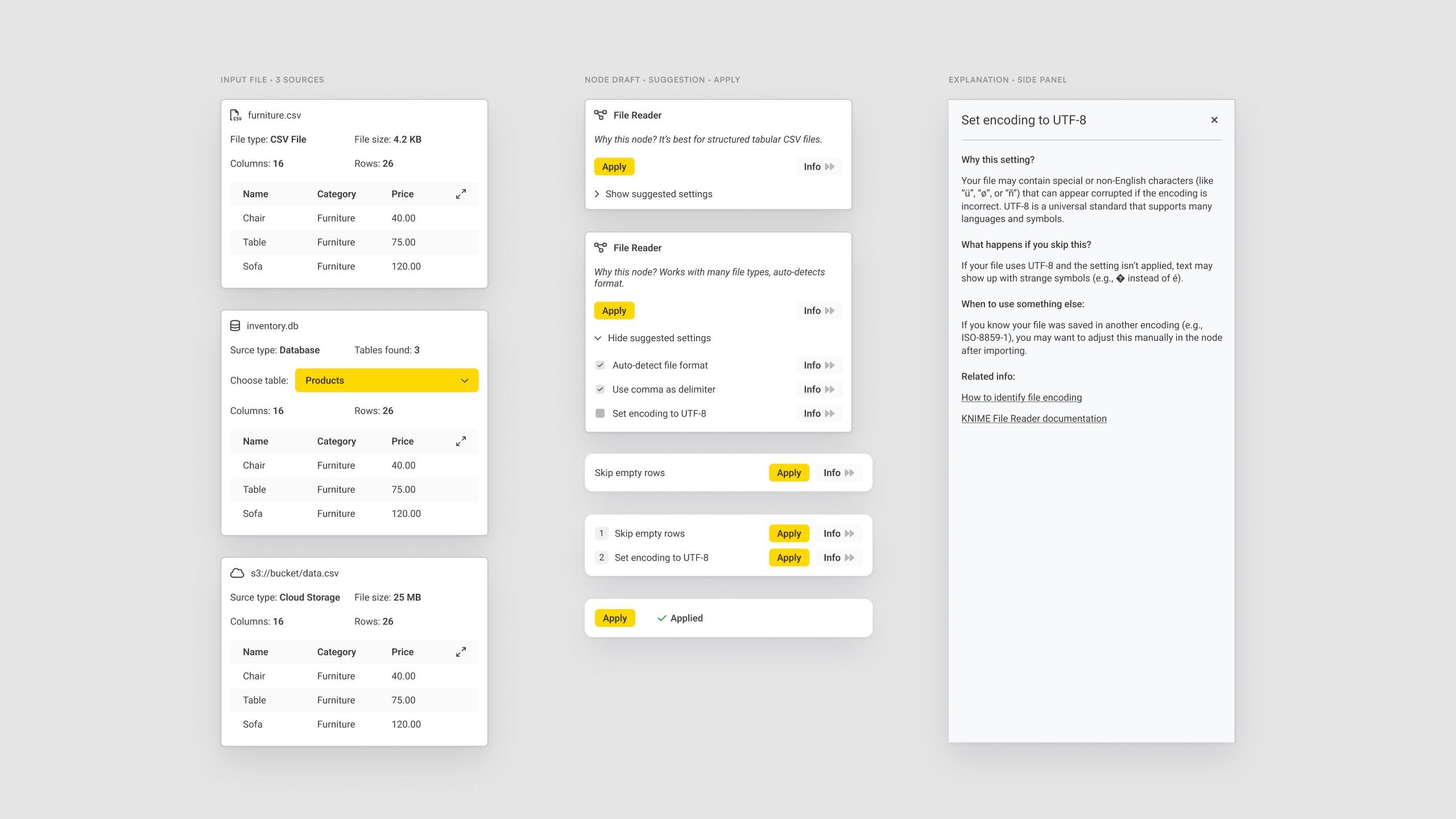
- Apply next to Info, always. Every suggestion row pairs the action with its reasoning. The explanation opens as a side panel with the same anatomy each time: why this setting, what happens if you skip it, when to use something else, where it applies.
- Real data as the trust anchor. The Input File card shows the first rows of the actual data. Seeing your own columns is the fastest proof the AI understood the source.
- Suggested settings are checkboxes, not magic. Expanding a Node Draft reveals every setting the AI would change, pre-checked. Unchecking is the override. There is no hidden configuration.
- Explanation is a panel, not a tooltip. Reasoning deserves space – and a basic and an expert detail level share the same structure.
Trust and control, read two ways
- Novices: guided defaults, a preview of real data, one-click accept of the whole draft, a plain-language “why” per setting, and any setting can be unchecked before Apply.
- Experts: paste a connection string and skip the guidance, pre-filled host, port, auth and schema, an expert detail level with the rule used, inline edits with a diff review and discard.
Results as a system, not luck
KNIME needed four things at once: a balance between AI help and manual control, a clear user-centred flow, UI details that support discoverability, usability and trust, and design intent the team could act on. The object model answers all four: help and control are properties of the objects (suggested versus applied), the flow is the same for every source, the components carry the trust mechanics, and the documentation walks through the reasoning step by step – object discovery, matrix, user stories, flows, priority guides, fidelity steps, final components.
What I would validate next: five usability sessions across novices and experts measuring time to first configured node; whether “Info” is discovered without prompting; whether confidence levels help or add noise.